Calendar
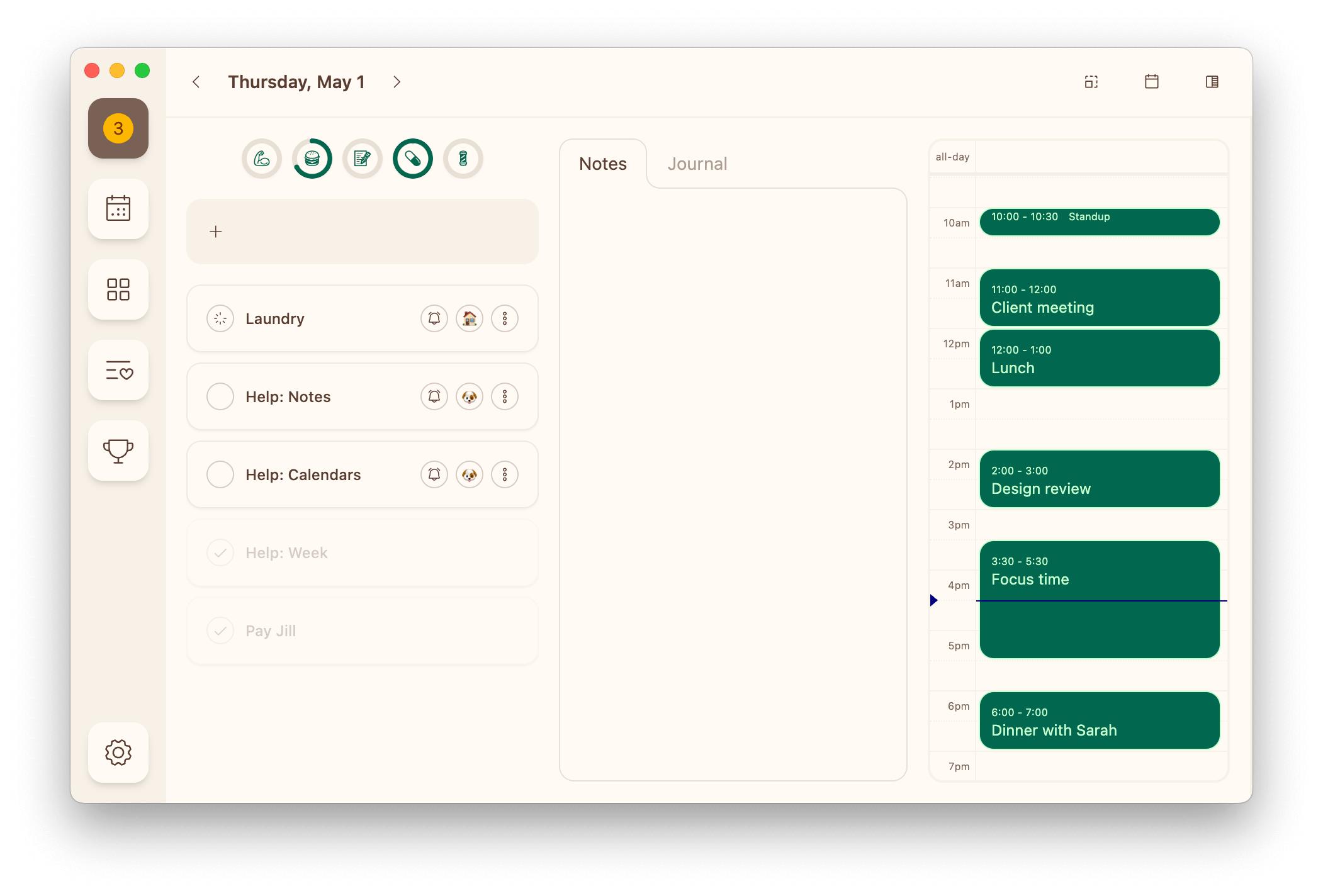
The calendar allows you to visualize meetings and time blocks while you plan your day.
Dexter allows you to add as many calendar feeds as you want, so feel free to add your work, personal, and even that astrology calendar, so you can see what the day has in store for you on every level.
Using the Calendar
The calendar lives in the Day view.
Open the day view switcher in the toolbar and choose Calendar to see it.
In the Week view, toggle the calendar in the toolbar to list each day's events in its column.
It is also a step of your daily ritual. Open the Ritual tab in the morning and the Calendar step tells you how many events you have, how much of the day is already booked, and how much of it is still yours — with the same timeline underneath. In the evening, the Preview tomorrow step uses it again: whether tomorrow is busier or calmer than a typical one of its weekday, and the events themselves a scroll below that.
Settings
Turning the calendar on and off
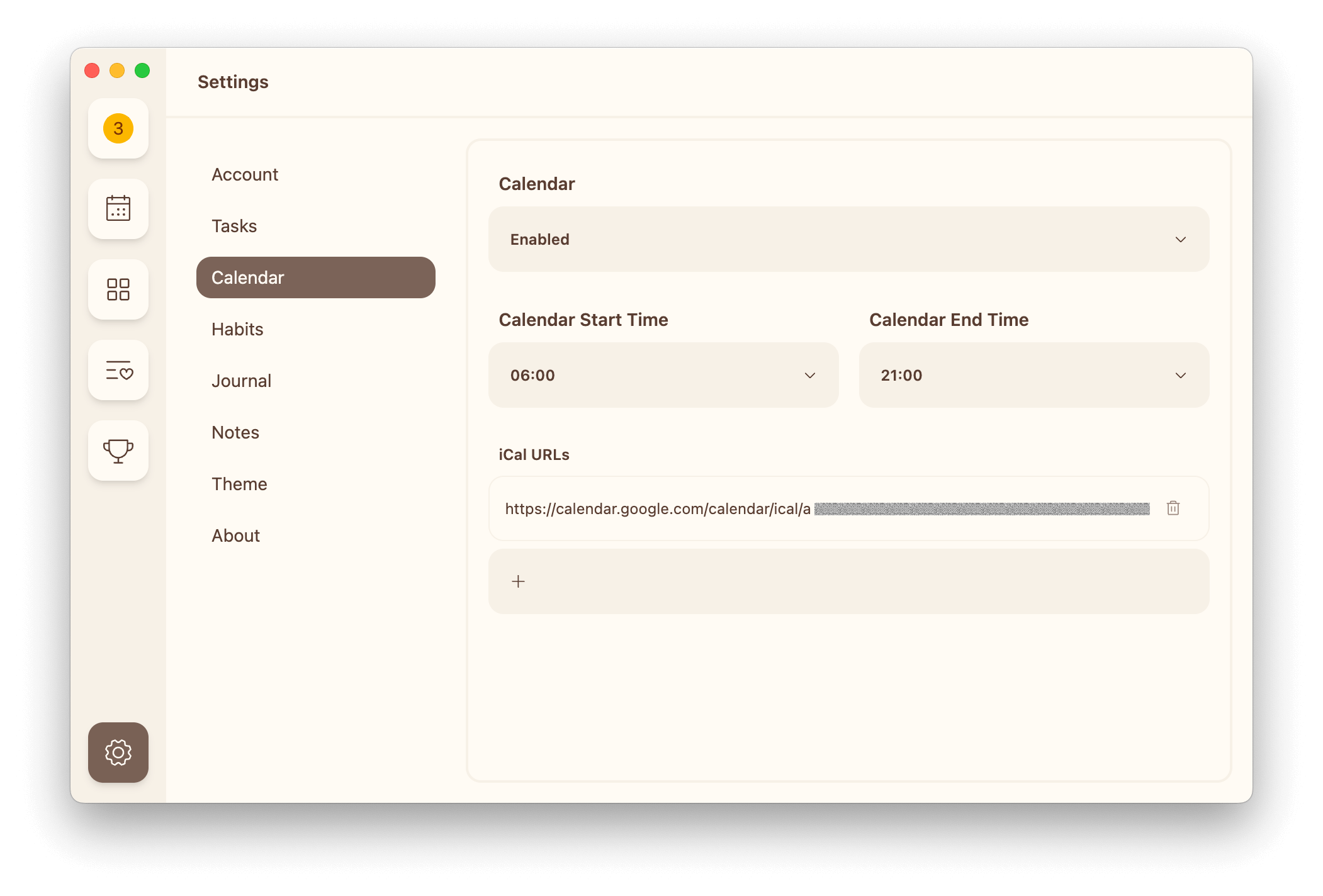
- Enabled: The calendar will appear in the Day view, can be toggled on in the Week view, and appears as a step of your daily ritual
- Disabled: The calendar will be hidden, the ritual will skip its Calendar step, and the evening's Preview tomorrow step will show only your tasks
Calendar start and end time
You can configure when your day starts and ends visually to reduce scrolling through hours you don't need or intend to use.
- Calendar Start Time: The fist hour displayed in the calendar widget
- Calendar End Time: The last hour displayed in the calendar widget
Choosing your calendars
How you connect calendars depends on where you're using Dexter:
- On the mobile app: Dexter reads the calendars already on your device. Grant calendar access, then toggle the individual calendars you want to see. These choices are saved only on that device.
- On the web: add public
.icsfeed URLs (see below). Feeds sync across all of your devices.
Adding a calendar feed (web)
Use the + input to add a new feed URL, pressing Enter to save it.
- Adding a Google Calendar
- Adding an Outlook / Microsoft Calendar
- Adding an Apple iCloud Calendar
- Adding a Fastmail Calendar
Most calendar providers offer this feature if you look in your settings for an option like "sharing" or "publishing".
TIP: Use secret/private URLs when possible to protect your privacy.
Deleting a calendar feed
Use the trash can icon to remove a feed.
All data will be immediately removed.
Editing a calendar feed
Click into a feed URL and start typing to make changes, pressing Enter to save it.